Slide Night
Vintage slide film & slideshow
English
Shoot on five slide films, from 1960s daylight to black and white. Each photo gets its own mount, and your favorites become a projector video. All on your iPhone.
Coming soon to the App Store
Slide Night turns your iPhone into an old slide camera, and your photos into a slide night.
FIVE SLIDE FILMS
Load a film and the viewfinder shows its look while you frame:
- Riviera: cool 1960s daylight with cyan skies and pale skin
- Sienna: warm 1970s color with deep blues and rich reds
- Flamingo: faded 1980s pastels with soft, lifted blacks
- Laguna: punchy 1990s color with saturated greens and blues
- Carbon: black and white with hard contrast and coarse grain
Each film has its own grain, its own glow around bright lights, its own vignette and its own dust and hairs, just like a real slide on a light box. Every photo is developed in high resolution, up to 4032 pixels on the long side, and remembers the film it was shot on.
EVERY SHOT GETS A MOUNT
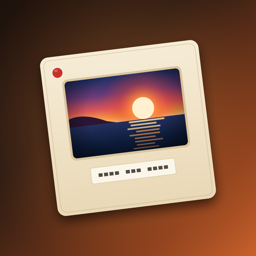
Each photo lands in its own slide mount, drawn in fine detail: classic cardboard, gray plastic, colored plastic, a metal mount with glass or a white lab mount with the film's name printed on it. The label underneath comes in four letterings: typewriter, felt marker, rubber stamp or embossed label tape. It shows the date by default; change it to anything you like, such as "Lake day" or "Grandma's 80th".
THE LIGHT TABLE
All your slides glow on a light table. Tap one to see its film, change its label, lettering or mount, save the photo or the whole mounted slide to Photos, or share it.
IT'S SLIDE NIGHT
Pick 5 to 20 slides, drag them into order and start the projector. Slide Night makes a portrait video with the slides dropping into the gate, a flickering lamp, a gentle weave, the clack of the changer and the hum of the fan. Choose how long each slide stays up (2, 2.5 or 4 seconds) and open the show with a title card such as "Summer 1978". Watch it, share it or save it to Photos.
CAMERA FEATURES
- Back and front camera
- Flash on the back camera, a bright screen flash for selfies
- Tap to focus
- Wide or tall slides, upright however you hold your iPhone
- Shutter click that respects Silent Mode
- Import existing photos and develop them on any of the five films
PRIVATE BY DESIGN
No account, no ads, no analytics, no cloud. Your slides stay on your iPhone. Slide Night can add photos to your library and only sees the photos you pick to import. Slides never store where a photo was taken.
ONE PURCHASE
Pay once and everything is included. No subscriptions, no in-app purchases.
Deutsch
Vintage-Diafilm & Diaabend
Fotografiere auf fünf Diafilmen, von den 60ern bis Schwarzweiß. Jedes Bild bekommt seinen Rahmen, deine Lieblingsfotos werden zum Diaabend-Video. Alles auf dem iPhone.
Bald im App Store
Slide Night macht dein iPhone zur alten Diakamera und deine Fotos zu einem Diaabend.
FÜNF DIAFILME
Leg einen Film ein, und schon im Sucher siehst du seinen Look:
- Riviera: kühles Tageslicht der 60er mit cyanblauem Himmel und heller Haut
- Sienna: warme Farben der 70er mit tiefem Blau und sattem Rot
- Flamingo: verblasste Pastelltöne der 80er mit weichen, aufgehellten Schatten
- Laguna: kräftige Farben der 90er mit satten Grün- und Blautönen
- Carbon: Schwarzweiß mit hartem Kontrast und grobem Korn
Jeder Film hat sein eigenes Korn, sein eigenes Leuchten um helle Lichter, seine eigene Vignette und seinen eigenen Staub, wie bei einem echten Dia auf dem Leuchtpult. Jedes Foto wird in hoher Auflösung entwickelt, mit bis zu 4032 Pixeln an der langen Seite, und merkt sich den Film, auf dem es entstanden ist.
JEDES BILD BEKOMMT EINEN RAHMEN
Jedes Foto landet in einem eigenen, detailreich gezeichneten Diarahmen: klassisch aus Karton, aus grauem oder buntem Kunststoff, als Glasrahmen aus Metall oder als weißer Laborrahmen mit aufgedrucktem Filmnamen. Die Beschriftung darunter gibt es in vier Schriften: Schreibmaschine, Filzstift, Stempel oder Prägeband. Standardmäßig steht dort das Datum; du kannst sie beliebig ändern, etwa in „Seetag“ oder „Omas 80.“
DAS LEUCHTPULT
Alle deine Dias leuchten auf einem Leuchtpult. Tippe auf ein Dia, um seinen Film zu sehen, Beschriftung, Schrift oder Rahmen zu ändern, das Foto oder das ganze gerahmte Dia in Fotos zu sichern oder es zu teilen.
ES IST DIAABEND
Wähle 5 bis 20 Dias, bring sie in die richtige Reihenfolge und starte den Projektor. Slide Night erstellt ein Video im Hochformat: Die Dias fallen ins Bildfenster, die Lampe flackert, das Bild wackelt leicht, der Wechsler klackt und der Lüfter summt. Bestimme, wie lange jedes Dia zu sehen ist (2, 2,5 oder 4 Sekunden), und eröffne die Show mit einer Titelkarte wie „Sommer 1978“. Schau es dir an, teile es oder sichere es in Fotos.
KAMERAFUNKTIONEN
- Rück- und Frontkamera
- Blitz bei der Rückkamera, heller Bildschirmblitz für Selfies
- Tippen zum Fokussieren
- Dias im Quer- oder Hochformat, immer richtig herum, egal wie du dein iPhone hältst
- Auslöser-Klick, der den Stummmodus beachtet
- Vorhandene Fotos importieren und auf einem der fünf Filme entwickeln
PRIVAT VON ANFANG AN
Kein Konto, keine Werbung, keine Analysedienste, keine Cloud. Deine Dias bleiben auf deinem iPhone. Slide Night kann Fotos zu deiner Mediathek hinzufügen und sieht nur die Fotos, die du zum Importieren auswählst. Dias speichern nie, wo ein Foto aufgenommen wurde.
EINMAL KAUFEN
Einmal bezahlen, alles inklusive. Keine Abos, keine In-App-Käufe.